Spring PC Cleanup with Polarbackup for Smarter Digital Organization
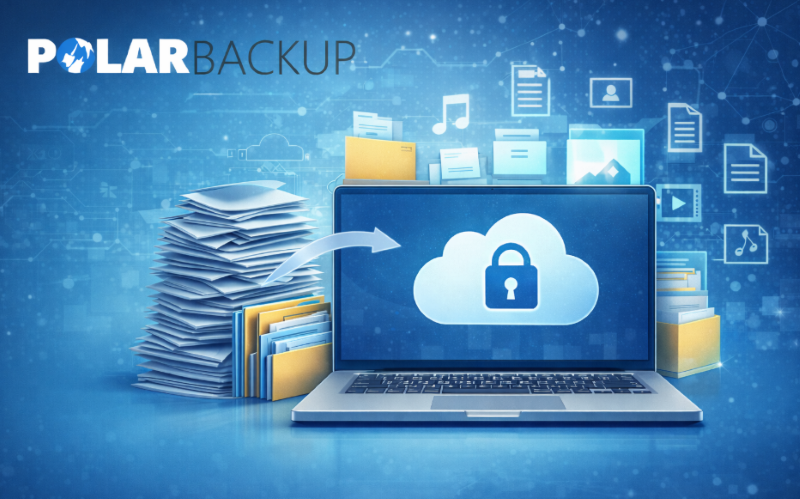
March is a great time to refresh your digital environment. Over time, computers accumulate outdated files, duplicate media, and unused documents that reduce performance and consume storage. A proper PC cleanup helps improve system efficiency while keeping files organized.
However, deleting files without protection can lead to data loss. Using a reliable backup solution ensures important files remain safe while unnecessary content is removed. Polarbackup allows users to archive data securely in the cloud, helping maintain an organized device while preserving files for long-term access.
Archive Important Files Instead of Deleting Them
Many files are rarely used but still valuable, such as old projects, financial documents, or personal photos. Instead of deleting them, archiving them is a safer option.
Polarbackup provides Cold Storage, a cloud archiving solution designed for long-term data preservation. This allows users to store rarely accessed files securely while freeing local storage space. (Learn more)
Key benefits include:
- 🔹 Long-term data preservation
- 🔹Reduced local storage usage
- 🔹Secure cloud access
- 🔹Cost-efficient storage for archived files

Improve Backup Efficiency
A proper PC cleanup should also include reliable data protection. Polarbackup integrates advanced technologies that improve backup performance and storage efficiency.
1️⃣ Incremental Backup
Only modified portions of files are uploaded, reducing bandwidth usage. (Learn more)
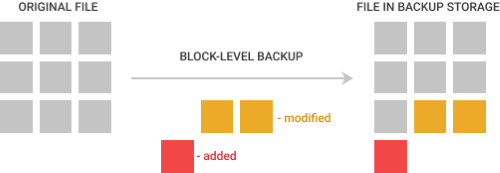
2️⃣ Block-Level Technology
Changed data segments are backed up instead of entire files. (Learn more)
3️⃣ Automated Backup Protection.
Polarbackup supports scheduled backups that automatically protect files based on user preferences. (Learn more)
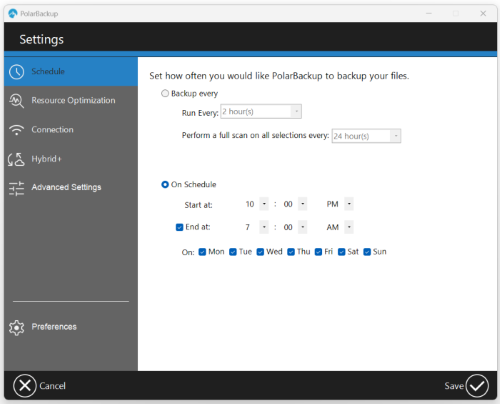
If a scheduled backup is missed because the device is offline, the system automatically runs it once the device becomes available.
Strong Security for Archived Data
Data protection is essential during any PC cleanup. Polarbackup safeguards files using strong encryption and secure cloud infrastructure.
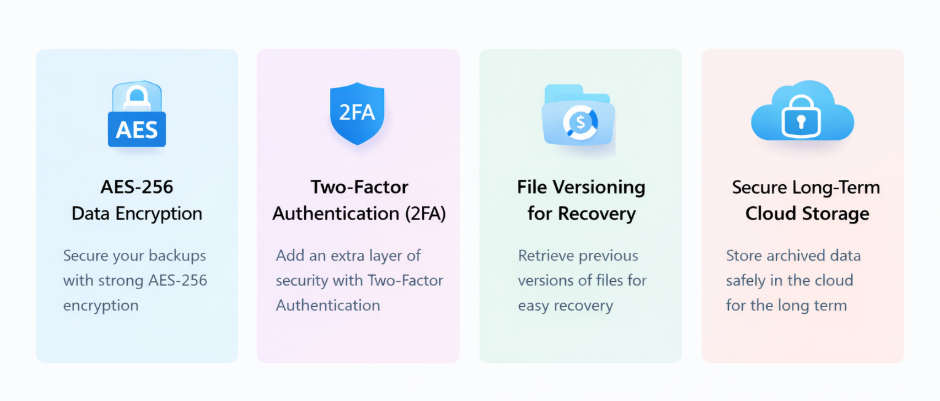
Security features include:
📌 AES-256 data encryption
📌 Two-Factor Authentication (2FA)
📌 File versioning for recovery
📌 Secure long-term cloud storage
❓Frequently Asked Questions
What is the safest way to perform a PC cleanup?
Back up important files before deleting them. Cloud backup ensures data remains accessible even after local removal.
What is Polarbackup Cold Storage?
Cold storage is a long-term cloud archiving solution designed for files that are rarely accessed. (Learn more)
Can archived files be restored later?
Yes. Files stored in Polarbackup can be restored whenever needed. (Learn more)
Keep Your Digital Workspace Organized
A seasonal PC cleanup helps create a more efficient and organized digital environment. By combining decluttering with secure cloud archiving, users can safely remove unnecessary files while protecting valuable data.
Polarbackup provides reliable tools to archive data securely and maintain a clean digital workspace.